
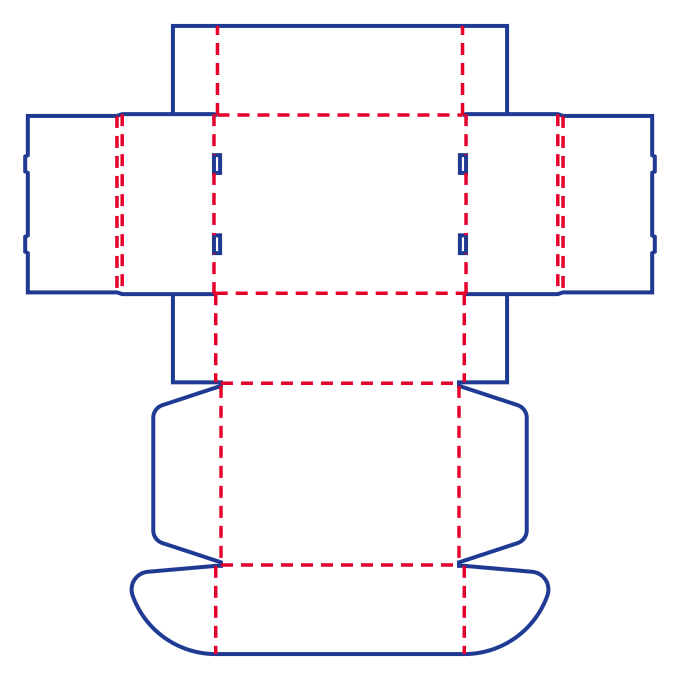

Lid hinge crease
Find the dashed line between the lid and the back wall. The lid pivots there as it folds over the tray.
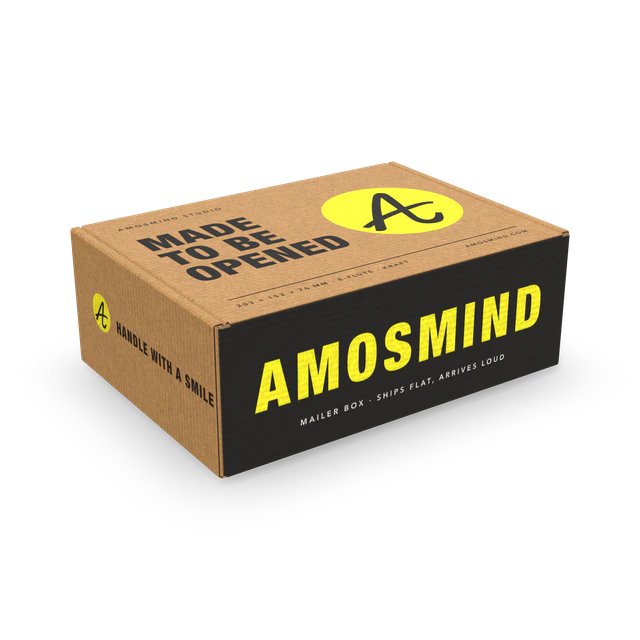
Mailer box dielines show where the lid folds and how the tabs lock into the base. Open a style to check the fit in 3D before changing the size.
1 dieline shown
Read the parts of the flip top dieline in the order they meet when you close the box.
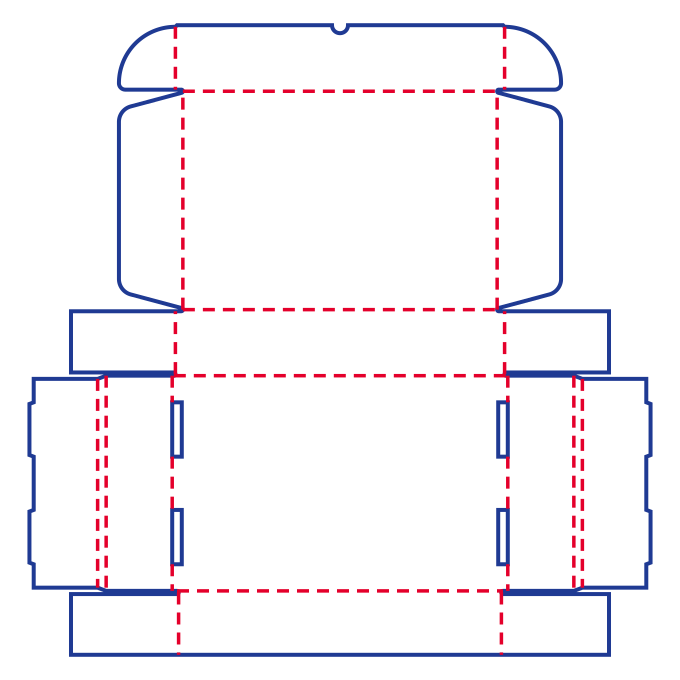
The broad panel swings down over the opening along the hinge crease at the back.
The side panel folds inward. Its tabs line up with the slots beside the base.
The openings near the sides receive the tabs when the walls fold in.
Use the space inside the folded walls as the starting point when a product or insert needs a snug fit.
| Style | Inside length × width × height |
|---|---|
| Flip top mailer box | 291 × 198 × 58 mm |
| Wide tuck mailer box | 276 × 196 × 46 mm |
| Classic mailer box | 303 × 200 × 40 mm |
| Plain front mailer box | 278 × 196 × 46 mm |
On the flip top dieline, the lid hinge and the slots beside the base use different lines.
Find the dashed line between the lid and the back wall. The lid pivots there as it folds over the tray.
Find the solid rectangular outlines beside the base. Those openings give the side-wall tabs a place to lock in.
These are the width and height inputs for the dieline. Leave room for the product and its insert when you choose the finished inside size.
| Style | Width input | Height input |
|---|---|---|
| Flip top mailer box | 62–398 mm | 17–148 mm |
| Wide tuck mailer box | 180–400 mm | 17–55 mm |
| Classic mailer box | 61–398 mm | 17–42 mm |
| Plain front mailer box | 62–398 mm | 17–52 mm |
Look at a different box structure if the closure or material needs to change.
See shipping boxes, folders and lid-and-base styles.
See paperboard cartons with tuck or seal ends.
Check which measurements to use for an insert and what you can preview at the default size.
The tabs from the inner side walls tuck into those slots as you fold up the tray. View the folded box in 3D to see where the parts meet.
Start with the inside length, width and height. Allow space for the insert material and check that it clears the inward folds and the lid when closed.
You can view the box in 3D at its default size and open Info for free. Changing the size or board thickness and downloading the dieline require Plus.
Open 3D box mockups to place artwork on a box for review. When a style has a matching mockup, Design in 3D opens that style at the same size in a new tab.