Supplement and pharmacy brands
See the carton for a new product in its real size before the first print run.
- Sized to your blister or bottle
- Every panel visible
- A dieline for the printer quote
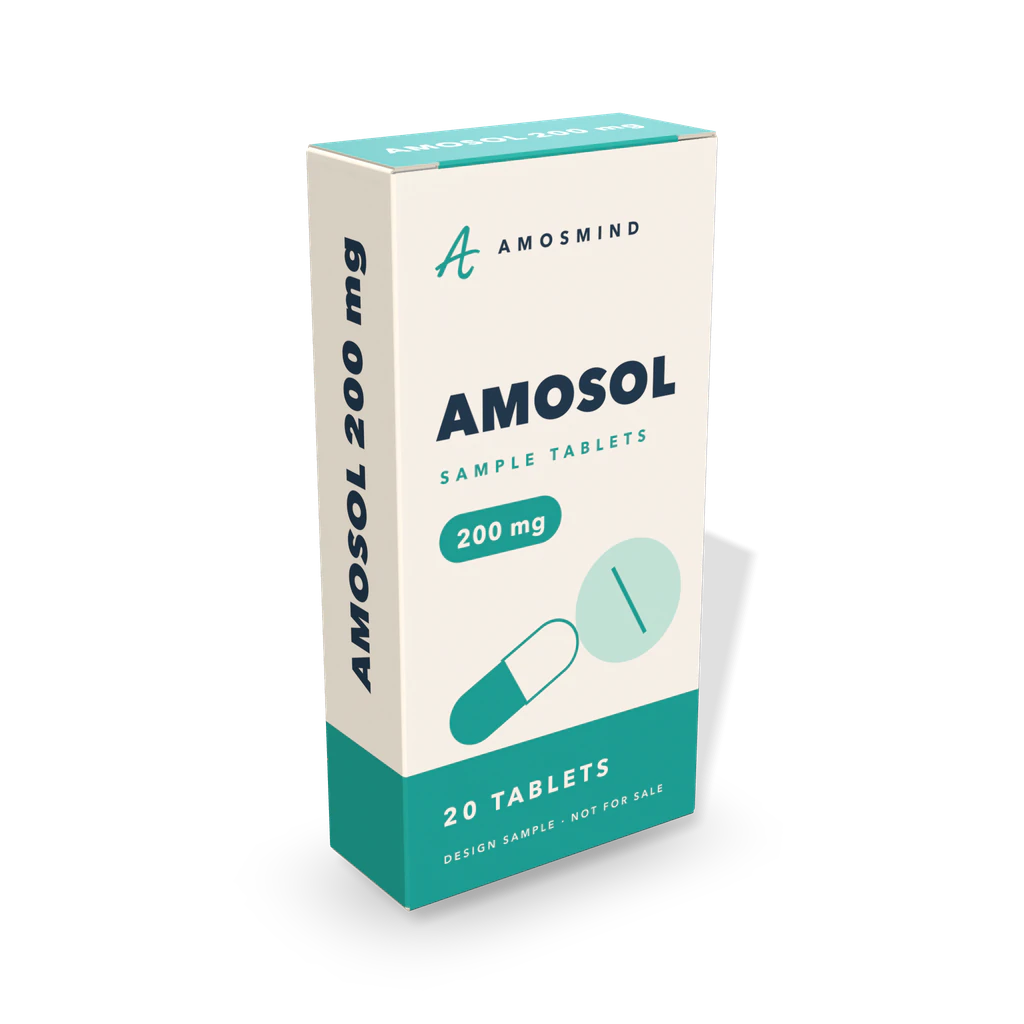
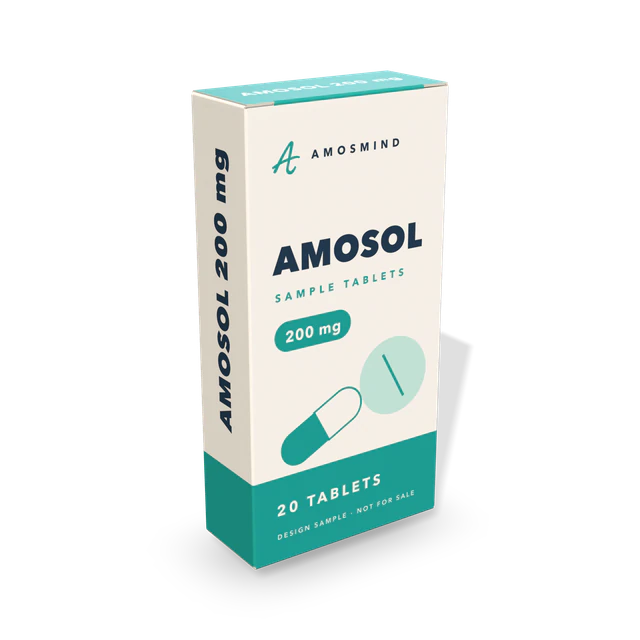
A 3D mockup of a medicine box: a small folding carton for blister packs, tubes and bottles. Set it to your pack, place your artwork on every panel and see where the text falls when the carton is folded.
In the editor you can
Sizes are inside dimensions. The mockup shows the board color and your artwork; print color, coatings and foil are confirmed on a printed sample.
Wiki
Tablets, capsules and small bottles are sold in folding cartons of white paperboard. The usual construction is the reverse tuck end: the top closure is hinged on the back wall and the bottom closure on the front. In the ECMA code of carton styles it is A20.20.01.03.
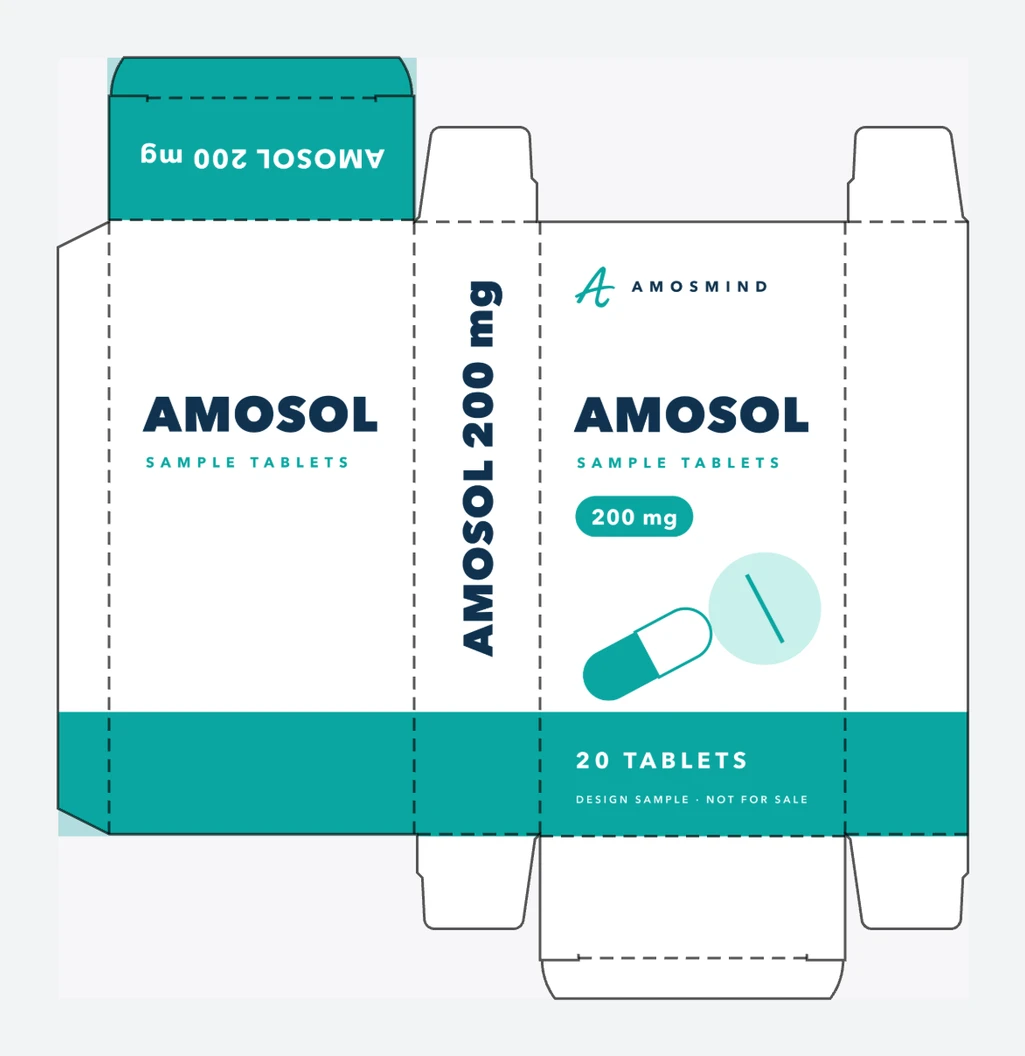
The four walls are one strip of paperboard glued along a seam, so the carton is delivered flat and springs into a tube. Each end has a closure panel with a tuck flap and two small dust flaps. Because the two closures tuck in opposite directions, cartons nest head to tail on the sheet and waste less board. Our model has 13 panels and 12 crease lines.
A medicine carton is sized to what goes inside: a stack of blister packs and a leaflet, or a bottle. This one starts at 60 × 25 × 120 mm (2.4 × 1 × 4.72 in); at that size the flat sheet measures 178 × 184 mm. Stock cartons of this kind are cut from white paperboard of 19 to 24 pt, about 0.5 to 0.6 mm.
Medicine cartons carry a lot of small text: the name, strength, batch number, expiry date and a barcode, and in some markets Braille. The mockup lets you see how that layout wraps around the carton before it goes to regulatory review.
Cartons are cut to the pack inside. These are real cartons to compare with; measure your own blister or bottle before you order.
| Contents | Size, in millimetres | Note |
|---|---|---|
| Tube or blister stack | 60 × 25 × 120 mm | The size this mockup starts at. |
| Blister packs, 10 tablets | about 77 × 24 × 123 mm | Outside of a retail allergy-tablet carton |
| Eye drops, 15 ml | about 43 × 29 × 95 mm | Outside of a retail carton |
| Liquid medicine, 30 ml | about 57 × 39 × 118 mm | Outside of a retail carton |
| Stock carton | 38 × 38 × 102 mm (1.5 × 1.5 × 4 in) | Sold blank by packaging distributors |
Retail sizes are outside dimensions as listed by a retailer, shown to give the scale. Measure your own pack and the folded leaflet together before you set the size.
On a medicine carton the layout is checked by many people before it is printed.
See the carton for a new product in its real size before the first print run.
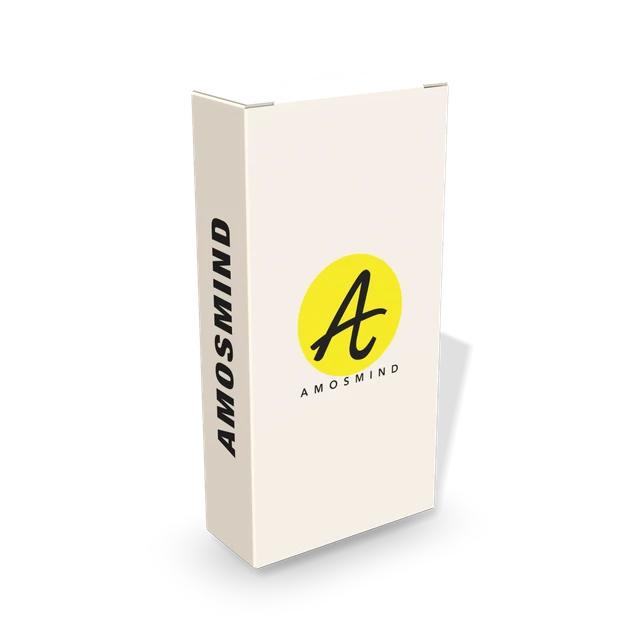
Send reviewers a folded carton instead of a flat artwork file.
Confirm the size and the layout with the customer before making plates.
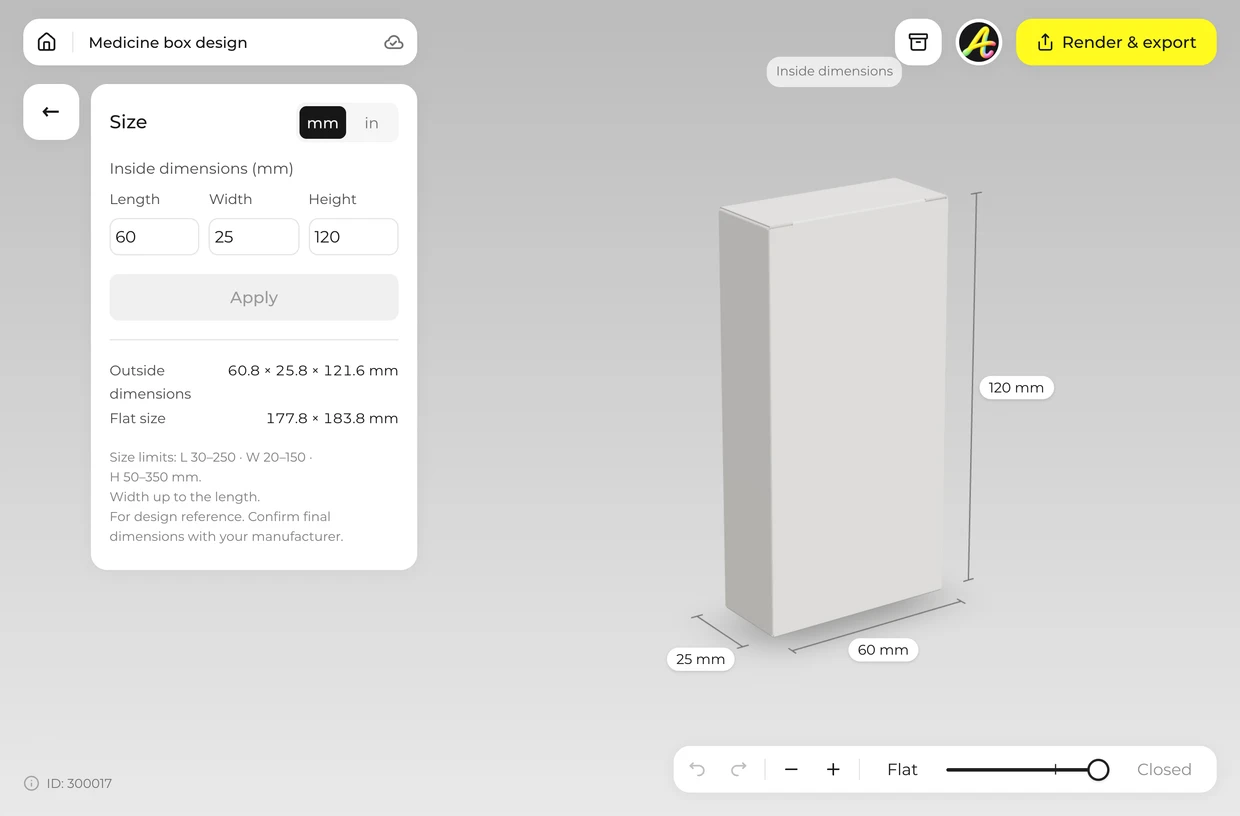
Measure the blister stack or the bottle and type the inside length, width and height. The editor accepts 30–250 × 20–150 × 50–350 mm. Width can be up to the length.
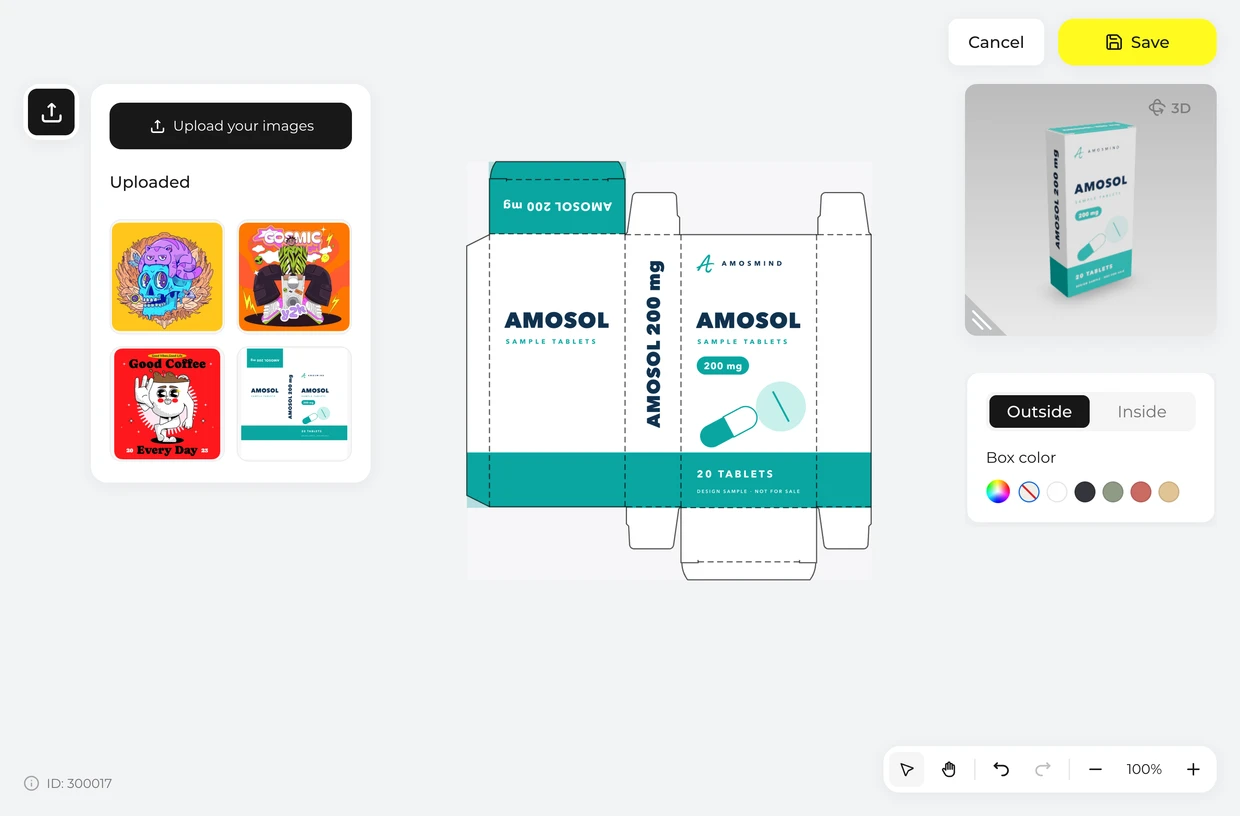
Click Upload artwork and drop your layout on the flat sheet. The crease lines show where the front ends and the side begins, so no line of text runs over a fold.
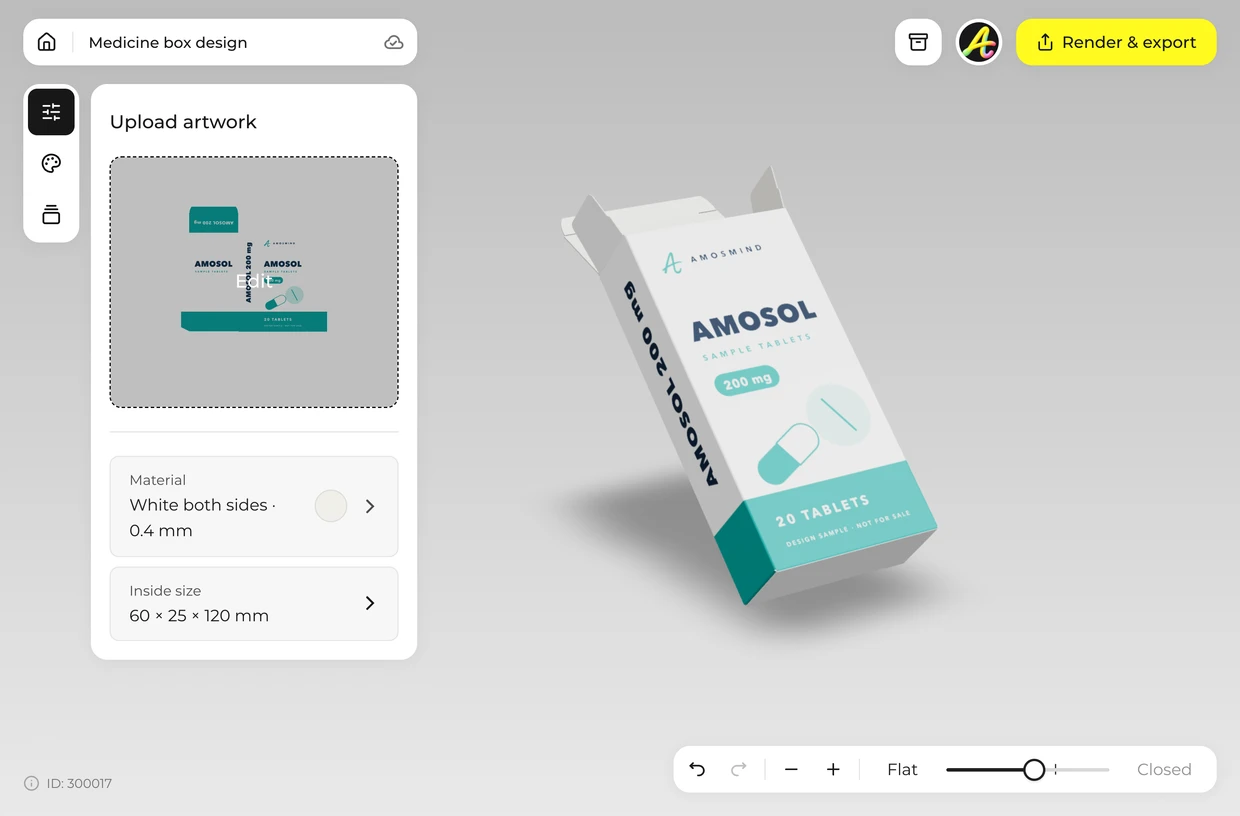
Drag the Fold slider to close the carton and turn it. Check that the name reads on the front and on at least one end.
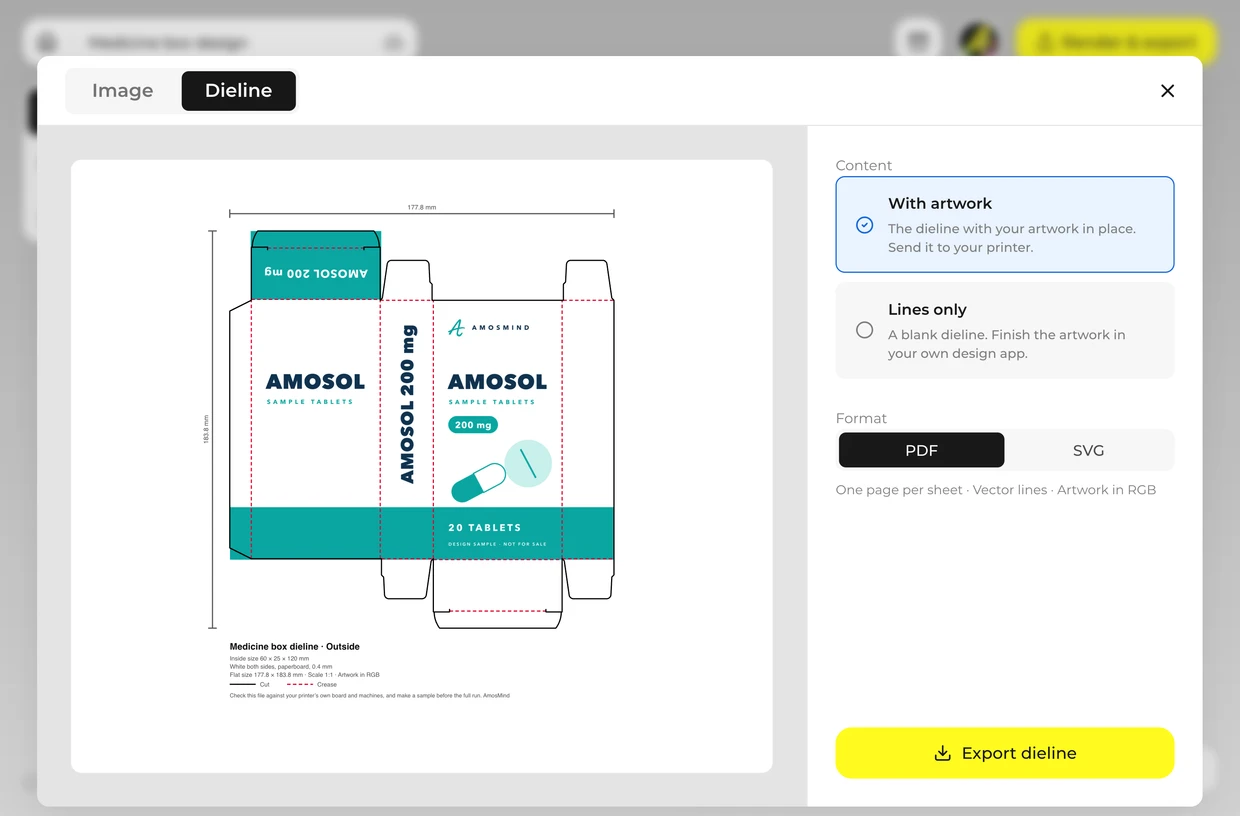
Render a JPG or PNG up to 4K for an approval deck. Export the dieline as a PDF or SVG at full size and send it to your carton printer. Ask them to check it against their own board and machines and to make a sample before the full run: board thickness, tolerances and glue areas differ from one factory to the next.
Every box opens in the same live 3D editor.
Three kinds of file come out of the same project. The picture is for showing the box; the dieline is for making it.
| File | Format | Use it for |
|---|---|---|
| Image | JPG or PNG, 2K or 4K | Store pages, pitch decks, social posts |
| Cut-out | PNG with a transparent background | Your own layouts and product photos |
| Dieline | PDF or SVG at full size, 178 × 184 mm at the starting size | Your printer or box maker: cut lines, crease lines and your artwork in place |
The dieline is drawn from the size and board you set. It is a starting file for your printer, who will check it against their own board, machines and glue areas and make a sample before a full run.
Short answers about sizes, materials and files.
Choose the carton, set it to the size of your blister pack or bottle, place your artwork on the dieline and check it folded in 3D. Then export the image for approval and the dieline for your printer.
It follows the pack inside. This mockup starts at 60 × 25 × 120 mm and takes any size within 30–250 × 20–150 × 50–350 mm; the table above lists common starting points. Width can be up to the length.
Start from 60 × 25 × 120 mm or type the size of your blister pack or bottle, click Upload artwork and place your design on the dieline, then render the image. It runs in your browser.
No. The page shows the carton on its own. Place the exported PNG next to your product photo in your own layout.
Yes. Export the dieline as a PDF or SVG at full size for the carton you set. Ask them to check it against their own board and machines and to make a sample before the full run: board thickness, tolerances and glue areas differ from one factory to the next.
No. The box is a 3D model that opens in your browser, and you export finished JPG or PNG images and the dieline. There's no PSD file to edit.
Browsing the boxes and turning them in 3D is free. Log in with an email code or Google to upload artwork, save projects and render images. Exporting a rendered image or a dieline needs a free account; rendering and downloads are free right now.